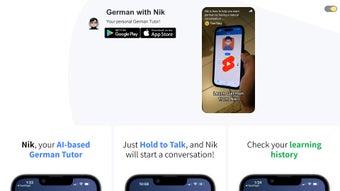

Download German with Nik – AI‑Powered German Tutor, Fast & Secure
Introduction
Learning a new language often feels like a marathon: you need consistency, engaging material, and feedback that keeps you motivated. German with Nik answers that call by turning the learning process into an interactive conversation with an AI‑driven tutor. The app is designed for busy professionals, students, and casual learners who want a flexible, on‑the‑go solution that works on both Android and iOS devices.
From the moment you launch the program, you are greeted with a clean, modern interface that respects your privacy—login is handled through Google OAuth, so your credentials never touch the app’s servers. Whether you are starting with “Hallo” or polishing advanced grammar, Nik adapts its difficulty level in real time, offering corrections, cultural notes, and vocabulary suggestions that feel natural rather than textbook‑like. In addition to the core chat‑based tutoring, the app provides handy utilities such as one‑tap phrase copying, a detailed Local History log, and Dark Mode for night‑time study sessions.
A modest subscription unlocks premium audio clips, expanded lesson packs, and deeper analytics, but the free tier already delivers a substantial learning experience. This review explores the app’s key aspects, from feature set and installation steps to compatibility, pros and cons, and answers to the most common questions—helping you decide if German with Nik is the right companion for your language journey.
Overview
German with Nik is an AI‑enhanced language‑learning companion that focuses on conversational practice. The app simulates a native‑speaker dialogue partner, listening to your typed or spoken inputs and responding instantly with corrections highlighted in a friendly, non‑punitive manner. Its adaptive engine tracks your progress and gradually introduces more complex structures, ensuring that each session builds on the last.
A standout element is the Local History feature, which records every conversation, flags recurring mistakes, and visualizes vocabulary growth over weeks or months. This data‑driven feedback lets learners pinpoint weak spots and celebrate milestones without the need for external spreadsheets. The app also integrates a copy‑ready phrase button, enabling you to transfer newly learned sentences directly into note‑taking apps, flash‑card decks, or messaging platforms—bridging the gap between passive exposure and active usage.
Dark Mode reduces eye strain during late‑night study, while a subscription unlocks premium lessons, native‑speaker audio, and specialized grammar modules. Available on Google Play and the Apple App Store, German with Nik delivers a seamless, mobile‑first experience that rivals traditional classroom instruction while keeping the process enjoyable, secure, and highly personalized.
Key Features & Benefits
- AI‑Powered Conversational Tutor: Real‑time dialogue with instant, context‑aware corrections.
- Google OAuth Sign‑In: Fast, secure login without creating a new account.
- One‑Tap Phrase Copy: Export sentences to external study tools in a single click.
- Local History Tracker: Detailed log of conversations, error patterns, and vocabulary growth.
- Dark Mode: Optimized visual comfort for night‑time learning.
- Premium Subscription: Access to expanded lesson libraries, native audio, and advanced grammar modules.
- Cross‑Platform Sync: Seamless progress syncing between Android and iOS devices.
- Gamified Badges: Earn recognitions for streaks, vocab milestones, and fluency levels.
Each of these capabilities works together to create a holistic learning ecosystem. The AI engine leverages natural‑language processing to understand nuanced inputs, delivering corrections that feel conversational rather than corrective. Phrase copying eliminates the tedious step of manually transcribing new words, allowing learners to instantly reinforce material in their preferred flash‑card apps.
The Local History function goes beyond a simple chat log; it acts as a personalized analytics dashboard that highlights recurring errors, tracks weekly improvement rates, and suggests targeted practice. Dark Mode isn’t merely an aesthetic choice—it reduces blue‑light exposure, supporting healthier sleep patterns for night owls. Premium content expands the curriculum with authentic audio recordings and specialized modules, catering to both beginners and advanced speakers without overwhelming newcomers.
Cross‑platform synchronization ensures that progress made on a commuter‑time phone session carries over to a weekend tablet study session, maintaining continuity across devices. Finally, the badge system injects a playful element that motivates learners to maintain daily streaks and reach measurable milestones, turning language acquisition into an engaging habit rather than a chore.
Installation, Usage, Compatibility, Pros, Cons, FAQ & Conclusion
Installation & Compatibility
Getting started with German with Nik is straightforward. Open the Google Play Store or Apple App Store, search for “German with Nik,” and tap the Install button. The download size is roughly 80 MB, allowing quick installation even on slower connections. After the app finishes installing, launch it and select “Sign in with Google.” This OAuth flow guarantees that your credentials remain encrypted and never touch the app’s backend servers, providing a secure entry point. An onboarding tour follows, highlighting the chat interface, copy‑phrase icon, and Dark Mode toggle.
German with Nik runs on Android 6.0 (Marshmallow) and newer, as well as iOS 13.0 and later. The responsive design automatically adapts to smartphones, phablets, and tablets, supporting both portrait and landscape orientations. Because the AI processing occurs in the cloud, a live internet connection is required for real‑time conversation; however, premium users can download individual lessons for offline review. Monthly updates introduce new vocab packs, refine the AI’s conversational accuracy, and improve overall stability. All updates are delivered automatically via the respective app stores, keeping the software secure and up‑to‑date without user intervention.
How to Use the App Effectively
The core interaction revolves around typed or spoken prompts. Type “Guten Morgen” or tap the microphone icon to speak, and Nik replies with a natural‑sounding response, underlining any errors in a contrasting color. Tap a highlighted word to see a definition, example sentence, and audio pronunciation.
Use the adjacent clipboard icon to copy the corrected phrase, then paste it into your preferred note‑taking app or flash‑card system for spaced‑repetition practice. Navigate to the “Lessons” tab to select beginner, intermediate, or advanced modules; each lesson ends with a short quiz that feeds results back into the Local History tracker, updating your progress dashboard instantly. By regularly reviewing the History log, you can identify recurring mistake patterns and focus future sessions on those weak spots, turning data‑driven insights into targeted study.
Pros
- AI tutor offers realistic, instant conversational feedback.
- One‑tap phrase copying streamlines integration with external study tools.
- Comprehensive Local History provides actionable analytics.
- Dark Mode enhances comfort for night‑time learners.
- Cross‑platform sync guarantees seamless progress across devices.
Cons
- Full feature set requires a paid subscription, which may deter occasional users.
- Live AI chat depends on an internet connection; offline mode is limited to pre‑downloaded lessons.
- Voice recognition can struggle with strong regional accents initially.
Frequently Asked Questions
Can I use German with Nik without a Google account?
Currently the app only supports Google OAuth for sign‑in, which streamlines onboarding and ensures secure authentication. Future updates may introduce alternative login options.
Is there a free trial before I commit to the subscription?
Yes, new users receive a 7‑day free trial that unlocks premium lessons, audio clips, and advanced quizzes. After the trial you can continue with the free tier or upgrade.
How does the Local History feature help my learning?
Local History logs each conversation, highlights recurring mistakes, and visualizes vocabulary growth over time, allowing you to focus on weak areas and celebrate progress.
Can I download lessons for offline study?
Premium subscribers can download individual lessons for offline review, though live AI chat still requires an internet connection.
Is the app suitable for complete beginners?
Absolutely. The onboarding flow starts with basic greetings and introduces vocabulary gradually, making it friendly for users with zero prior German knowledge.
Conclusion & Call to Action
German with Nik blends cutting‑edge AI technology with proven language‑learning methodologies, delivering a secure, regularly updated app that adapts to your skill level and fits into a busy schedule. Its conversational focus keeps learners engaged, while utilities such as phrase copying, Local History, and Dark Mode address practical study needs. Although the premium subscription unlocks the full suite of content, the free tier already offers a valuable entry point for casual learners.
If you’re looking for a fast, secure, and interactive way to master German on Android or iOS, German with Nik stands out as a top‑ranked choice. Ready to start speaking German with confidence? Download German with Nik now and embark on your immersive language journey today.



.png)



